Transfer Telegram group ownership without losing control of moderation
Choose the next Telegram group owner, handle security waiting messages and verify Defendy roles, bot access and logs before the former owner leaves.
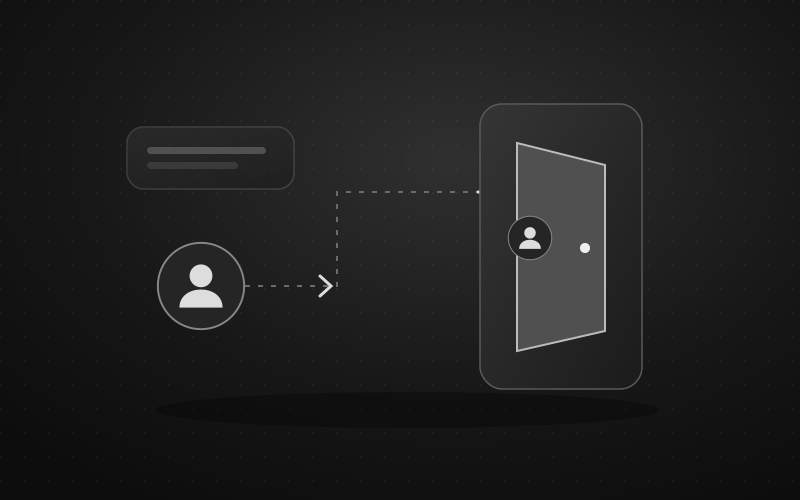
For a planned handover, choose the successor explicitly, complete Telegram's ownership transfer and verify their access before the former owner leaves. Keep both people available until the checks are finished. Giving someone an administrator title is only an intermediate step; the final check is who Telegram identifies as the group owner.
This guide is about changing that owner. Day-to-day shifts, appeals and division of moderator duties belong in the separate multiple-admin workflow.
If the owner denies their recent actions or has lost control of the account, follow the compromised-admin response before treating the situation as a planned handover.
First identify which situation you are in
The owner is available and signed in. Plan a deliberate transfer together. Agree on the successor, timing and whether the former owner will retain any administration duties.
The owner has already left. Inspect the current administrator list and any Telegram succession notice. Record what the app actually says, including the departure time if known. Do not remove administrators to try to influence an automatic choice.
The owner has lost access or stopped responding. Keep existing administrators working within their current authority. An absent person, an inaccessible account and a person who left the group are different starting points. Do not start a one-week countdown merely because the owner is offline.
The owner deleted their account. Telegram's FAQ says their groups are left without a creator while administrators keep their rights; re-registering creates a new account. Treat this separately from the leave-group feature, with no promised recovery deadline. Telegram account-deletion FAQ
If the remaining team cannot complete an owner-only action, document that precise limitation. Avoid services promising to “recover ownership” in return for login codes, account access or a payment.
What changed when an owner leaves in 2026
Telegram's 9 February 2026 release describes three options: an owner who leaves can choose a successor in the confirmation window; without an explicit choice, ownership passes to one of the administrators after a week; ownership can also be transferred while the current owner stays in the group. Official ownership update
For a planned transition, use the explicit transfer while both people are present. The announcement does not identify your team's preferred successor or explain every exceptional case. If the current owner already left, use the actual in-app state to decide the next step rather than trying to force the process by leaving, rejoining or deleting accounts.
Prepare the exact group and the exact person
Before opening the transfer flow:
- Confirm the destination group. Check its name and current members. A linked channel, discussion group, private moderator group and log destination can have similar names while being separate chats.
- Verify the successor's account. Open their profile from the known group membership or an established conversation. Ask them to confirm that this is the account they will use. A familiar display name alone is weak evidence.
- Agree on the responsibility. The person should understand that they are accepting ownership, not temporarily covering a shift. Resolve any uncertainty before the transfer.
- Record the starting state. Note current administrators, intended Defendy roles and where moderation logs are delivered. Keep this short and accessible to the two people doing the handover.
- Keep credentials private. Each person uses their own account. The successor does not need the former owner's login code, two-step-verification password or device session.
Choose a quiet period when both people can stay online. Avoid combining ownership transfer with a filter overhaul, a move to a new logging chat or a change of every administrator. Separate changes make a failed check easier to diagnose.
Complete the transfer in the official app
From the group's management screen, open Administrators and inspect the intended successor. In the current official Telegram client, use the available ownership-transfer action and follow its eligibility prompts. If the person must first be promoted or their rights changed, inspect the requested scope before continuing. Menu names and placement can differ across clients.
Before the final confirmation, read the group and account names again. After confirming, reopen the administrator list and have the successor do the same from their own account. Both should see the agreed person as owner. Keep the former owner in the group until the operational checks below pass.
If the transfer action is missing, do not use Leave group as a diagnostic shortcut. Check the signed-in account, current ownership and client version first. For the ordinary administrator screen, Telegram provides client-specific administrator navigation.
If Telegram says you must wait
The current ownership-transfer API reference documents two-step verification and errors for a recently changed password or a recently created session. It also lists recipient and access errors. Follow the exact message and waiting time shown by your official app; an old tutorial's single fixed period is not a reliable diagnosis.
Do not disable two-step verification, reset the password or repeatedly sign in on new devices to get around the wait. Keep the working session secure, note when to retry and leave the present owner responsible until the transfer is confirmed. If the message concerns the recipient instead, check that account and its eligibility rather than changing unrelated security settings.
A bot command cannot perform this personal-account confirmation for you. Enter any requested password only in Telegram's own transfer flow, never in a moderator bot or a third-party “transfer checker.”
Recheck Defendy after Telegram confirms the new owner
Telegram ownership and Defendy access need separate verification. Do this in the transferred group, not in the bot's private chat with a different group selected.
- Have the new owner or a current Telegram administrator run
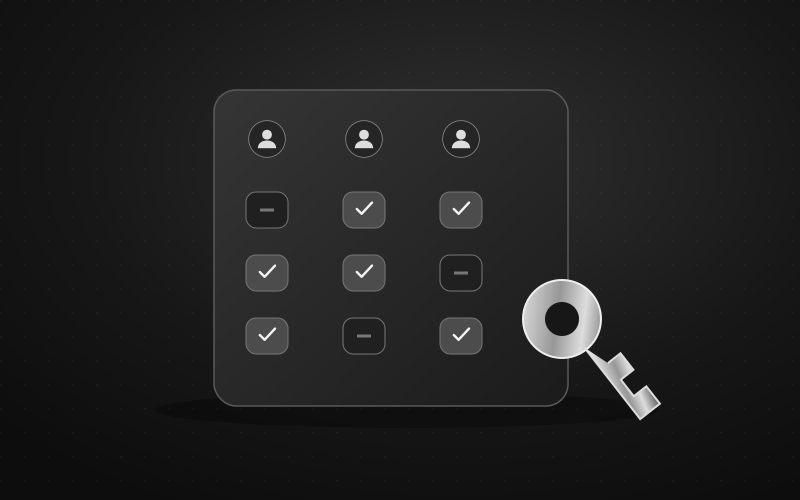
/reloadand check the response. This refreshes administrator information from Telegram; it does not transfer Telegram ownership. - Administrative Defendy roles are synchronized during this refresh. Record intended assignments beforehand and inspect the resulting role lists, including the former owner's remaining access. Do not assume every previous administrative assignment stays unchanged.
- Open Defendy's Mini App from the successor's own account, select the correct group and inspect a settings page they need to manage.
- Check the moderation bot's Telegram rights separately. A new human owner is not evidence that the bot can delete messages or restrict members.
- Open the actual log destination from the successor's account. Being owner of the main group does not establish access to a separate private log chat.
Use the public role matrix, command reference and logging setup guide for those checks. If /reload fails or the role results are unexpected, keep the handover open and investigate the response before removing the former owner's remaining access.
A handover acceptance sheet
Complete this with observed results, not just ticks beside actions someone attempted.
| Check | Evidence to record | If it is still unresolved |
|---|---|---|
| Successor account | The agreed person confirms the selected profile | Stop before the final transfer |
| Telegram ownership | Both people see the new owner in the group | Retain the current working access and check the app's result |
| Defendy access | Refresh response, reviewed roles and the correct Mini App group | Investigate the missing permission before offboarding |
| Bot and log access | A harmless test succeeds and its enabled log record is readable | Check bot rights, log category and destination |
| Unfinished case | A named person accepts the next action and any review deadline | Keep a reachable contact until responsibility is accepted |
| Other services | Separate access to project files, billing and custom bots is reviewed | Leave that transfer explicitly pending |
For a reversible moderation check, use an agreed test account with no existing restriction. The successor can apply a short test mute and then remove it, checking that ordinary posting works again. Record the starting permissions and avoid adding warning points just for this exercise. Do not use deletion of a real message as a “reversible” test.
If you only need to check settings access, opening the correct page is safer than changing a live filter. When logging is configured, verify an event that the enabled category is meant to record; an absent entry needs investigation, not an assumption that the action failed.
Finish the transition without transferring someone's whole account
Illustrative scenario: the new owner appears correctly in Telegram and can open Defendy, but cannot read the moderators' private log group. The ownership step has succeeded; the log-access step remains open. Resolve the intended membership in that separate destination before the former owner leaves.
Review any subscription, project document, domain or custom bot account separately if your team uses it. Do not assume a change to one Telegram group transfers those assets. Assign only the specific access the successor needs.
Once the checks pass, apply the agreed final access for the former owner, refresh and verify the remaining roles again, and tell the team who now owns owner-only decisions. Keep the short acceptance record. The useful outcome is a confirmed successor who can operate the group from their own account and a former owner whose remaining access matches the agreement.