Telegram topic permissions: read-only, private and member-specific access
Decide when to close a Telegram topic, when a member restriction affects the whole group, and when staff discussions need a separate private chat.
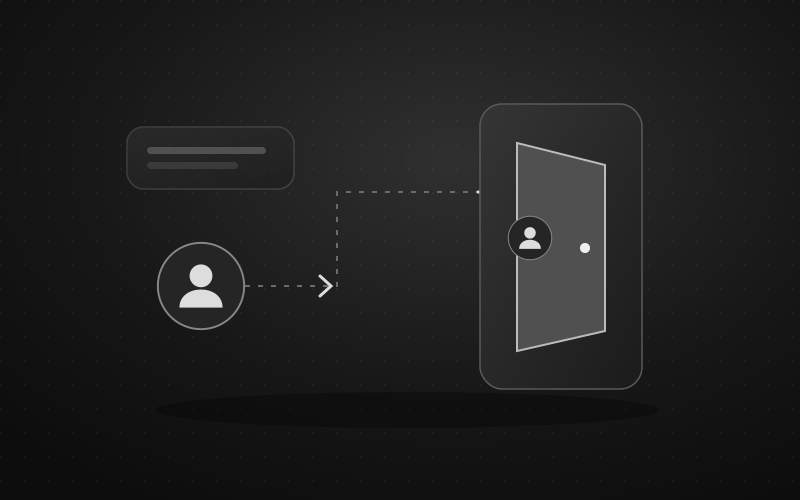
A Telegram topic can organize a conversation or stop ordinary replies. It is not a separate membership list. If some people must not read a discussion, put it in a separate private chat with the right membership rather than a topic called “Staff.”
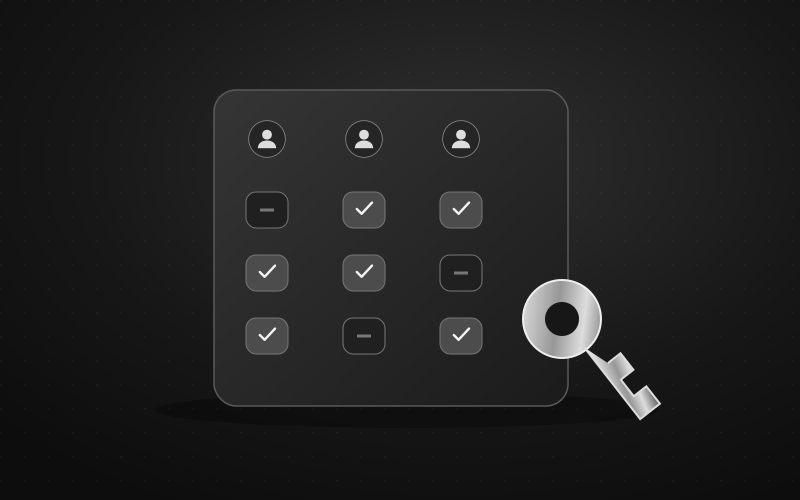
The practical distinction is between visibility, posting, managing a topic and restricting a person. Choosing the wrong control can expose a private discussion or silence someone across the whole group.
If several audiences need separate chats, compare this layout with Telegram Communities access planning. Define each chat's membership and entry routes before connecting the structure.
What exactly needs to change?
Telegram's forum model describes topics inside one group, including a closed state and a special hidden state for General. Its member-rights model assigns restrictions to the chat and participant, without a topic-specific member list. Taken together, these controls do not provide a private room for selected members inside an ordinary group forum.
Use this decision table before changing permissions. The last column describes a test to perform, not a test already run on your group.
| Desired outcome | Control to consider | Check before relying on it |
|---|---|---|
Everyone reads announcements; ordinary members do not reply | An administrator-created topic, closed to discussion | A regular member can read but cannot post; the intended publisher can still publish |
| Only staff may read a discussion | A separate private group with controlled admission | A non-staff member has no access, including through a shared message link |
A particular member may write in Help but not General | A conduct rule, or separate chats if technical enforcement is essential | No group-wide restriction was mistaken for a restriction on one topic |
| A volunteer organizes topics | Review topic-management rights separately from other admin powers | The volunteer has only the authority the role actually requires |
| Bot notices leave the main discussion | A configured message destination | Notices arrive in the intended topic; enforcement is checked separately |
The third row is an important limit. A rule saying “please use Help” can guide behavior, but it does not create an access restriction. A bot that removes an off-topic message after publication would be a different mechanism, with its own implementation and possible exposure before deletion. Do not call that a private topic or assume your bot provides it.
Closing a topic: useful for announcements, insufficient for privacy
Closing a discussion and deleting it are different actions. Telegram documents a close/reopen control; deleting topic history removes the topic's messages. Do not delete a topic merely to stop new replies.
For an announcements area, have a trusted administrator create the topic, publish a short description and close it to ordinary discussion. Give readers a clear place for questions. Then test the reader and publisher accounts separately.
There is a subtle reason not to promise “only admins can write” for every closed topic. The official Desktop client recognizes both a topic's creator and users with topic-management authority as able to edit it. Its posting check permits the closed-topic exception for accounts that can toggle that state, subject to other chat restrictions. If an ordinary member created the topic, include that account in your checks.
Closing is not a custom list of approved writers. If you need several publishers with carefully separated authority, consider a channel with an explicit publishing team instead of granting broad group rights just to make an announcement area work. The admin-permissions guide explains that separate access review.
The hidden General topic is also not a staff room. “Hidden” here describes the forum's special General-topic control, not a chosen audience allowed to read confidential material.
A workable layout for three different audiences
Imagine a community that needs announcements, public questions and a private moderation discussion. This is a planning example, not a claim about a deployed group.
- Announcements: an admin-created topic, with ordinary discussion closed after the publishing check. Its pinned introduction sends questions to Help.
- Help: an open topic for the same group members. A misplaced question gets a short pointer to the right place, not an unexplained mute.
- Staff: a separate private group. Invitations and current membership are reviewed independently. Sensitive incident details stay out of the public topics.
Telegram's July 2026 Communities release adds a way to connect separate chats. Visible community chats can be joined by community members; hidden chats have different visibility. If you use Communities, check the chat's visibility, membership and who may add chats before placing a staff group there. For confidential work, leaving it outside the community until that review is complete is a reasonable choice.
Communities can make navigation easier. They do not remove the need to decide who should enter each chat.
Where Defendy topic settings fit
Defendy's default bot topic and CAPTCHA destination concern where messages appear. The separate CAPTCHA topic overrides the default for that feature. Neither setting creates a private audience or turns a member restriction into a topic-only restriction.
Likewise, logging settings can send records to a destination chat and route event categories to topics. If the records are for moderators only, choose a private destination with appropriate membership. A “Moderation logs” topic in the public group does not become private because a bot writes there.
Check these two questions independently:
- Did the notice reach the expected topic?
- What action happened to the person or message, and in which chat?
For example, a notice appearing in Help is not evidence that the affected member can still write in every other topic. Review member permissions before making that promise.
Test with ordinary members before sharing sensitive material
Use consenting test participants and harmless messages. Administrator accounts can conceal the exact restrictions you are trying to validate.
- Write down who should read, write and manage each space.
- Check the topic list, a direct message link, new messages and replies with a regular member account.
- Test the intended publisher and, where relevant, the topic creator separately.
- Confirm that Help remains usable after changing Announcements. If a member was restricted, inspect their access elsewhere in the group.
- Trigger an appropriate harmless bot notice and verify its destination. Do not use a real person's punishment as a test.
- Check the private staff group with a person outside its membership before moving real incident records there.
If a result differs between clients, record the app version, account role, topic and attempted action. Recheck with an updated official client before changing several permissions. A missing button or stale screen is not evidence of a safe privacy boundary.
When the setup goes wrong
If someone cannot post after a change, check topic closure, their individual restriction and the group's default permissions separately. Reopen the topic or correct the mistaken restriction that caused the problem; deleting and recreating the topic is not a sensible first diagnostic step.
If private information was already posted in a public topic, stop adding more, limit further exposure with the available message controls and contact the affected people privately as appropriate. Moving later discussion elsewhere cannot retract copies or notifications already received.
Finally, publish a short space map: where announcements live, where questions belong and how to contact a moderator if access seems wrong. A member who cannot write in the group needs an appeal route outside that same restricted conversation.
Sources and scope
Reviewed on 6 October 2026 using the linked Telegram documentation, official Desktop source and Defendy's implementation. This guide covers ordinary Telegram group forums, not private bot-chat topics or channel direct-message topics. The checks are a proposed acceptance plan; no live group or client UI was tested for this article.