Protect a Telegram crypto community from impersonation and fake support
A practical anti-impersonation workflow: verified support routes, careful link policies, incident containment and member recovery without asking for wallet secrets.
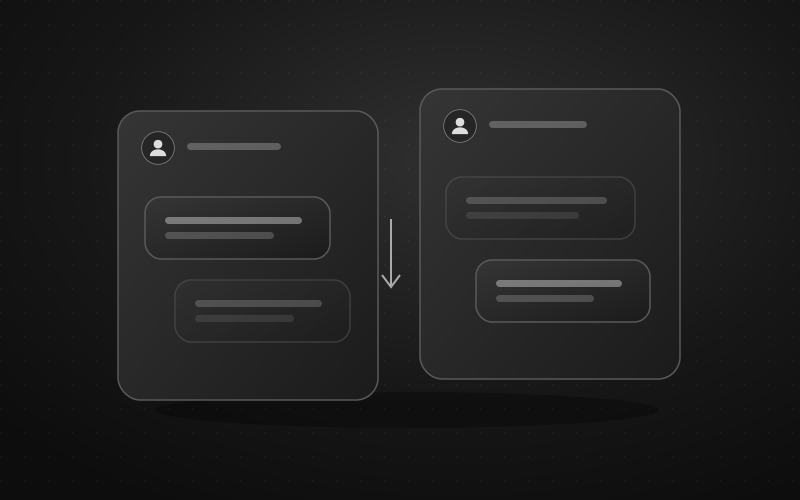
A member asks a wallet question in the group. Someone with a moderator’s photograph immediately sends them a private message offering to “validate” the wallet. This is a hypothetical example, but it exposes a real design problem: the group can look clean while the harmful conversation happens elsewhere.
Build the policy around a support route members can verify. Use message filters to enforce specific group rules, and assign people to investigate impersonation reports. Defendy does not certify a project, assess investment claims or gain access to members’ conversations with one another simply by moderating their group.
Make legitimate support easy to recognize
Publish one maintained directory containing the project’s confirmed website, announcement channel and official support entry point. Assign an owner to check it when staff or domains change. Reconcile the group description, pinned message and greeting so they do not point to competing destinations.
A useful team policy is that staff never initiate private wallet-support conversations. Adopt it internally before announcing it publicly. If a legitimate employee routinely breaks the rule, members have no dependable way to interpret the warning.
Tell people to open the support route from the directory, rather than search for a familiar display name. A matching name or photograph is insufficient, and a familiar account can itself be compromised. Unexpected requests for secrets or payment should trigger independent verification through an established channel.
Keep the security rule explicit: staff do not ask for recovery phrases, private keys, passwords or login codes. MetaMask’s security guidance specifically warns against sharing recovery phrases or private keys, including with someone claiming to represent support. This is a safety principle, not an endorsement of an asset or service.
Decide which boundary you are defending
| Observed problem | Useful control | What it cannot establish |
|---|---|---|
| A dangerous link appears in the group | Remove the post and review the applicable source rule | That every permitted page is safe |
| A lookalike account contacts someone privately | A verified reporting route and a human identity check | Automatic inspection of that private conversation |
An official announcement contains an unfamiliar destination | Independent approval by the announcement owner | Authenticity merely because the sender is exempt from filters |
Telegram’s bot documentation describes messages delivered to a bot in chats available to it. A group installation does not expose unrelated member-to-member DMs. Someone receiving an impersonation message must report it themselves; ask for a redacted, relevant excerpt, not an export of their entire conversation history.
Choose a link policy that matches the community’s purpose
An official support group may need only a narrow set of documentation and announcement sources. An open research community needs to discuss unfamiliar articles. Those are different editorial choices. A strict allowlist can protect the first workflow while breaking the second.
In Defendy’s Mini App, select the intended group and open Anti-spam → Links. Website and Telegram-source controls have separate Delete, Blacklist and Ignore modes. Whitelist entries are useful for approved sources when deletion mode is active; Blacklist can target a known unwanted source without prohibiting every new reference.
Review Allow popular websites and Allow popular Runet sites rather than enabling them reflexively. A familiar hosting service can carry user-created pages. In the link filter these exceptions are evaluated before the blocklist, so review the relevant exception before expecting a listed popular domain to be blocked.
Also inspect Invites to chats and Quotes from other chats. These checks are separate from ordinary source matching; a whitelist entry does not automatically exempt them. Test your announcement permalink and invitation format as well as the website homepage. The link-filter guide explains the distinctions.
One important testing trap: Punishment → None does not make this screen a non-destructive preview. Message deletion is a separate consequence, displayed alongside the punishment. Use disposable content in a test group before applying a stricter policy to live conversations.
Rehearse with reports as well as violations
Write down expected outcomes before testing. The test set should contain more than examples you want removed:
- a permitted documentation link;
- an unfamiliar but legitimate technical reference;
- a harmless test destination intentionally placed on the blacklist;
- a member reporting a fake support message in their own words;
- an invitation and a message permalink, checked separately.
Use safe placeholders, never live phishing destinations, wallet secrets or financial transactions. Test as an ordinary member without filter immunity. Inspect all consequences: whether the message remained, whether the member received a warning or restriction, and whether the selected log event arrived.
CAPTCHA can add friction at entry; passing it is not a lasting trust decision. Keep a member recovery route reachable outside the group for legitimate people who cannot complete the join process.
Run an impersonation incident without spreading it
Give one person responsibility for containment and another, if available, responsibility for member reports. Avoid several moderators simultaneously changing the link policy.
First remove an evidently dangerous group post and retain only the evidence needed for review: approximate time, an accessible message reference and the account involved. Do not keep harmful material public while assembling a perfect report. Verify staff identity through a previously established contact, not through the suspicious conversation itself.
Next, publish a short warning that identifies the deceptive request without reproducing a clickable destination. Point members to the existing official support entry point. A group ban applies to your community; do not describe it as removing the account from Telegram or stopping every private message.
If someone may have exposed a wallet secret, stop asking for technical details in public. Direct them to their wallet provider’s official security instructions reached independently of the suspicious message. Do not ask them to send you a recovery phrase “for inspection,” promise financial recovery or refer them to an unverified recovery service. Community moderation should not turn into handling someone else’s assets.
Repair the collateral damage
Configure Logging with a restricted destination and the event categories you actually need, such as Filters and Moderation. Confirm delivery with a harmless test. Selected-event logging is not a guaranteed archive of every post or every outside conversation.
After containment, inspect reports from members whose useful questions disappeared. Narrow the offending rule; review warning points and active restrictions separately; invite a clean repost where appropriate. Disabling a filter does not restore deleted content or automatically undo sanctions already applied.
The practical success criterion is simple: a member can find authentic help, report an impersonator and retain access after a mistaken moderation decision. A high deletion count alone tells you little about that outcome.
Sources and scope
Updated 5 October 2026. The scenario and rehearsal are illustrative, not a production test or project audit. See the guides to link filtering and logging categories for the reviewed controls. These settings do not guarantee universal scam detection or continuous service availability.